| |
Plugin Name |
Description |
Version |
Download |
Documentation |
 |
MediaPortal Plugin |
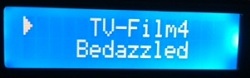
Displays Mediaportal data
Features:- Mix and Match MediaPortal information with other LCDSmartie functionality.
- Activate MediPortal LCD screens when MediaPortal is active
- Choose what to display from a large number of 'tags'
You can call the dll from the smartie configuration page using the functions below:
- Function 1 returns my interpretation of what should be displayed for the MediaPortal status on the first display line for a 2x16 display and is called by $dll(MP.dll,1,,) Now returns “MediaPortal HTPC” if MediaPortal is not running.
- Function 2 returns an interpretation for the second display line for a 2x16 display and is called by $dll((MP.dll,2,,).
- Function 3 returns the version number of the dll and is called by $dll(MP.dll,3,,)
- Function 4 returns the values of the tags supplied. You can have 1 or 2 tag names e.g. $dll(MP.dll,4,IsPlaying,IsRecording).
- Function 5 is designed to fix scrolling where there's no space and checks if param1 length > param2 then result=param1+" "
- Function 6 Performs an if function and is called by $dll(MP,6,a#b,c#d) and does if a=b then c else d
- Function 7 returns an interpretation of the first display line for a 2x16 display but overridden with recording info if one or more recordings are active and is called by $dll(MP.dll,7,,)
- Function 8 is similar to function 2 with, recording overrides.
- Function 9 Scrolls a bit of the line use different ID's for different scrolls (0-9) , param 1=id#centre#width, param2=text. if param2 size is less than width and centre=1 then centre text
- Function 19 Converts seconds to a time string as h:mm:ss If param2 provided then h:mm:ss/h:mm:ss.
- Function 20 checks if a process is active using the process file name. If active it returns param 2 otherwise a 0. E.g. $dll(MP,20,MediaPortal.exe,MediaPortal Active) will check if MediaPortalis active. Note this works in win7 x64 and x86 only (so far)
|
v1.0.13.83 |
mp.zip |
mp.doc |
 |
Windows Media Centre Plugin |
An LCDSmartie compatible dll which works with TcpIpController to display Windows Media Center information on an LCD Display.
You can call the dll from the smartie configuration page using the functions below:
- Function 1 returns my interpretation of what should be displayed for the media center status on the first display line for a 2x16 display and is called by $dll(MCE_dll.dll,1,,) Now returns “Windows 7 HTPC” if media center not running and we are connected to the local machine. If Burning a CD/DVD it will return “Burning Disc”. If a recording is in progress it will return “Record Chxx ChannelName” where xx is the channel number and ChannelName is the name of the channel. If more than one recording is running it will return “Record r Chxx ChannelName” where r is the number of recordings running. (to a maximum of 4).
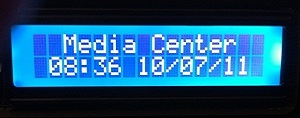
- Function 2 returns an interpretation for the second display line for a 2x16 display using session status and is called by $dll((MCE_dll.dll,2,,). If media center is not running it returns the current date/time. If Burning a CD/DVD it will return the percentage complete. If a recording is in progress it will return the name of the program being recorded.
- Function 3 returns the version number of the dll and is called by $dll(MCE_dll.dll,3,,)
- Function 4 returns the values of the tags supplied. You can have 1 or 2 tag names e.g. $dll(MCE_dll.dll,4,ArtistName,TrackName). If the tag supplied is a time value and you want the integer equivalent in seconds returned then add an ‘i’ to the tag name. This is useful for displaying the elapsed and total times as a bar using the Smartie $BAR function. If the tag is a Boolean this function will return ‘True’ or ‘False’ (add an i to the tag name to have a 1 or 0 returned where 1=true).
- Function 11 returns an interpretation of the first display line for a 2x16 display using session status and is called by $dll(MCE_dll.dll,11,,)
- Function 12 is similar to function 2 without the running, recording or burning overrides.
- Function 19 re-reads the ini file and the cfg file if present.
- Function 20 checks if a process is active using the process file name. If active it returns param 2 otherwise a space. E.g. $dll(MCE_dll,20,ehshell.exe,Media Center Active) will check if media centre is active. Note this works in win7 x64 and x86
|
v1.0.7.49 |
mce_dll.zip |
mce_dll.doc |
 |
Spectrum Display Plugin |
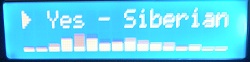
Spectrum Display for Vista and Windows 7. Displays data on 1 to 4 lines from the audio output so it should work with any software that generates audio
You can call the dll from the smartie configuration page using the functions below:
- Function 1 Returns the given line of spectrum display, param1=l#n#s where l=line number(1 at bottom, max 4), n=Total number of lines(max 4), s=Smoothness level (1-10)[Optional]
param2=width(maximum 32) this will be rounded down to the nearest of 4,8,16,32
Example: $dll(SPC,1,1#1,16) or $dll(SPC,1,1#1,4,8)
- Function 3 Returns the version number of the code. Example: $dll(SPC,3,,)
|
v1.0.39.233 |
spc.zip |
spc.doc |
 |
BigChars |
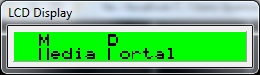
Displays Double height characters. You can output up to 4 different double height,
single width characters (DHSW) or 2 different double height,double width characters (DHDW) (function 2). For both functions
Param 1 is the line number and the starting custom character number (1 to 8). Param 2 is the string.
This has only been tested on a 2x16 display. Not as restrictive as it sounds since it works well for
capitalising e.g. "Media Centre" DHDW would require the LCD Smartie strings in the config.ini file
to look something like:
Text01="$dll(bigchars,2,1#1,M) $dll(bigchars,2,1#5,C) "
Text02="$dll(bigchars,2,2#3,M)edia $dll(bigchars,2,2#7,C)entre"
You can reuse the same character by re-using the same custom character
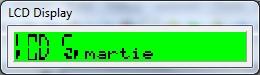
Here's an example with DHSW:
Text01="$dll(bigchars,1,1#1,LCD) $dll(bigchars,1,1#4,S) "
Text02="$dll(bigchars,1,2#5,LCD) $dll(bigchars,2,2#8,S)martie"
- Function 1 - returns the string in DHSW for this line, param1 Line#charnum,param2 string
- Function 1 - returns the string in DHDW for this line, param1 Line#charnum,param2 string
|
v1.0 |
Bigchars.zip |
- |
 |
Binary Clock |
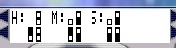
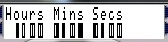
Various Binary clock type displays
- Function 1 return binary clock string - Param1=H, M or S - Param2 =1,2,4,8,16,32
- Function 2 select custom chars to use - param1 = Character for true (1-8) - param2 = Character for false (1-8)
- Function 3 - Param1=H, M or S - Param2 =1,2,4,8,10,20,40 (Note that this function returns the 1,2,4,8 values modulo 10)
|
v1.0 |
Binclk.zip |
- |
| _____ |
Recv |
Memory Mapped receiver - Use in conjunction with the modified inpout32.dll to redisplay output from another program
which has an HD44780 display driver such as Centrafuse for a car display. functions are:
- Function 1 - Returns the first display line
- Function 2 - Returns the second display line
- Function 3 - Returns bits of the screen, param1=start(0-127), param2=end(0-127, end>start)
- Function 4 - Cut bits of a string, param1=string, param2=start#end(end>start)
- Function 5 - Returns the emulated HD44780 registers as a character. Returned value bits are:
- bit 0 = display on/off
- bit 1 = cursor on/off
- bit 2 = blink on/off
- bit 3 = nr. display lines
- bit 4 = font
- bit 6 always set so that the character range is ascii (0x40-0x5F)
- Function 6 - Returns the character definition string for a custom character (1-8) as stored in the emulated HD44780
- Function 19 - Returns the version number of this code
|
v1.0.8.51 |
recv.zip |
recv.doc |
| _____ |
Scroll controller |
Provides scrollable areas of the display. Functions are:
- Function 1 - param 1 = id#width, param2=text (different id's allows multiple scroll areas)
- Function 3 - Returns the version number of this code
|
v1.0 |
scroll.zip |
- |
| |
Program Name |
Description |
Version |
Download |
Documentation |
|
InpOut32 replacement |
Emulates an HD44780 parallel display and stores the
resultant output in a shared memory area
which can be picked up by the Recv plugin. |
v1.0 |
inpout32.zip |
inpout32.doc |
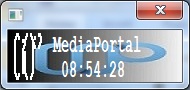 |
MediaPortal Logo |
2 line by 2 character codes for a MediPortal Logo
Line1:
$CustomChar(1,6,9,16,16,16,16,16,16)$Chr(158)$CustomChar(2,1,2,20,4,8,16,20,20)$Chr(131)$CustomChar(3,16,9,4,6,5,4,4,4)$Chr(132)$CustomChar(4,24,4,4,8,16,0,0,0)$Chr(133)
Line2:
$CustomChar(5,16,16,16,16,16,9,6,0)$Chr(134)$CustomChar(6,20,20,20,20,20,2,1,0)$Chr(135)$CustomChar(7,4,4,4,4,4,8,16,0)$Chr(136)
|
v1.0 |
- |
- |
| |
Plugin Name |
Description |
Version |
Download |
Documentation |
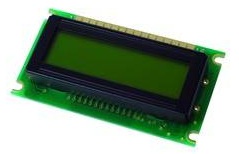 |
HD66712 |
HD66712 display driver |
v1.0 |
HD66712.zip |
- |
 |
NCR5972 |
NCR5972 display driver |
v1.0 |
NCR5972.zip |
- |
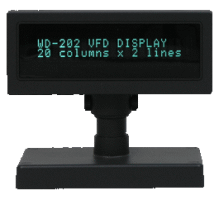 |
WD-202 |
WD-202 display driver |
v1.0 |
WD-202.zip |
- |
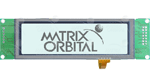 |
LCDT |
Matrix Orbital driver replacement (fixes suspend/resume issue) |
v1.0 |
LCDT.zip |
- |
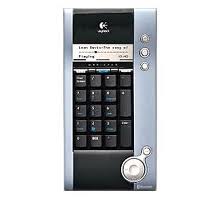 |
Logitech MediaPad |
Logitech MediaPad driver. Experimental. Not fully working yet. |
v1.0 |
mediapad.zip |
mediapad.doc |
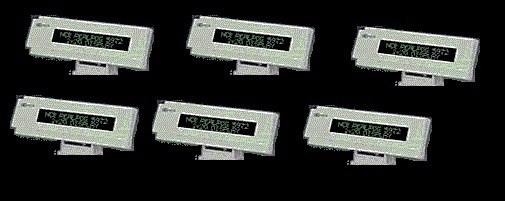 |
Multi |
Allows multiple displays to be driven from a single LCDSmartie program.
Restrictions are that all the displays must be the same size (i.e 4x16 or 4x20 etc.) and will all display
the same thing. You also need a separate copy of the dll for each display. It will cope with up to 99 displays.
You need to copy and rename the dll for each display but you can mix and match the display types (e.g WD-202 and NCR).
Not sure if there will be an upper limit to the number of displays it can drive (it might get slower) but overall it will use
less processor than multiple copies of smartie running.
|
v1.2.226.1284 |
Multi.zip |
Multi.doc |
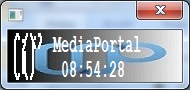 |
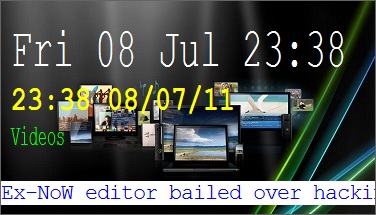
DeskLCD |
Similar to desktop.dll but with additional flexibility (background,size, fonts etc.) I mainly use this for testing. |
v1.0 |
DeskLCD.zip |
DeskLCD.doc |
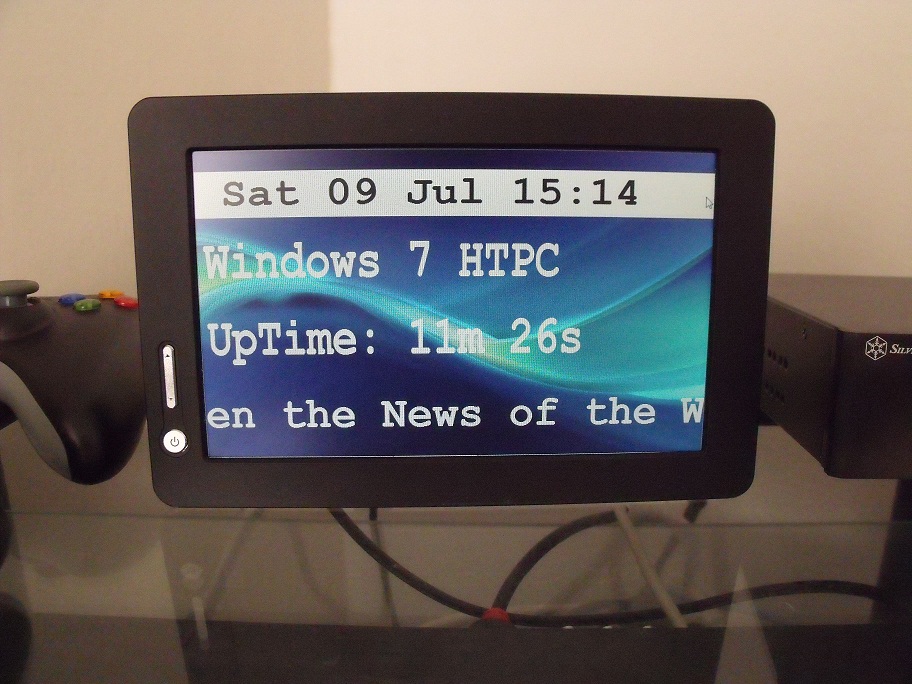 |
VirtualLCD |
VirtualLCD is a display plugin for LCD Smartie to provide the output as a desktop window.
The main use for this is to drive an external additional screen or a small external screen (7 inch type display)
which extends the normal desktop. This display can then be used to see what the system is doing without the main
monitor being used. E.g. where the main monitor may be an hdtv showing a movie etc. Used in conjunction with mce_dll
the display can show Media Centre status information. Each line of the display (up to 4) can have
a different font, font size, font colour, line poition using values defined in the configuration file.
The screen background is loaded from a jpg file and can be replaced by the user. The screen size and position
can also be set. Screen content is defined within LCD Smartie in the normal way. |
v1.0 |
VirtualLCD.zip |
VirtualLCD.doc |
| _____ |
LogOnly |
Logonly writes the display output to a log filein the logs folder of LCDSmartie.
Very useful for testing plugins browser |
v1.0 |
LogOnly.zip |
- |
| _____ |
LCDS |
LCDS writes the display output to a file index.htm in the logs folder of LCDSmartie.
It's not very fancy at the moment but can be used for remote monitoring using a web browser |
v1.0 |
LCDS.zip |
- |